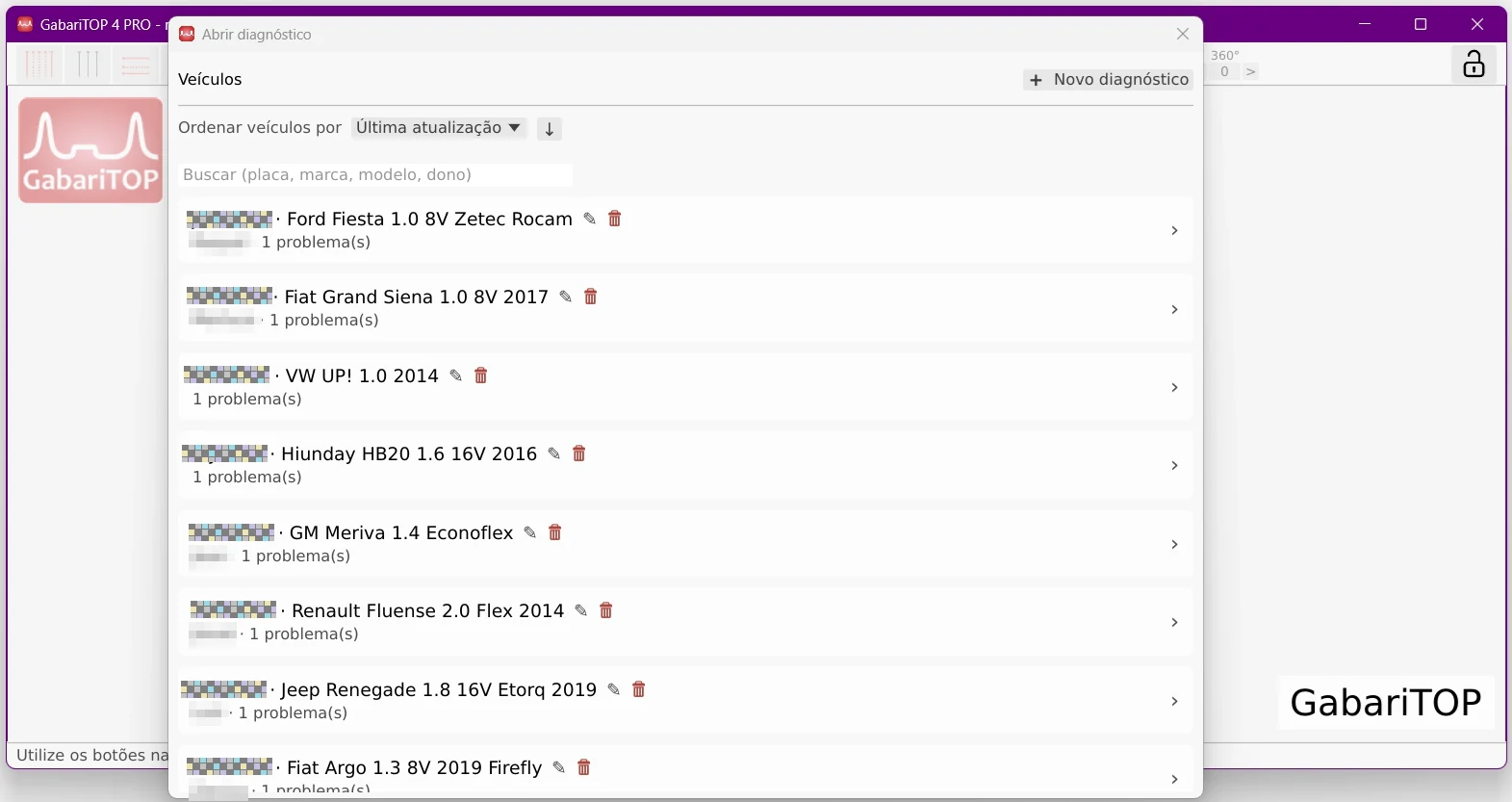
History in the cloud
Every vehicle, diagnosis, screenshot and video is kept in your account. Changed computers or lost your hard drive? Everything is still there, on your phone too.

Automotive diagnostics
Your oscilloscope, with the features of professional equipment.
To see more, visit the Videos section
GabariTOP opens on top of your oscilloscope software, with a transparent background. Place degree and pressure rulers, overlay waveforms, record the screen and keep every diagnosis in the vehicle's history.
For Windows 10 or 11
Start for free, with no sign-up or payment. The PRO Version, with screen recording, cloud history and the advanced tools, is by subscription.
Quick guide to install and activateFrequently asked questions
How it works
GabariTOP does not replace your oscilloscope: it is a transparent layer that sits over the screen, with the tools you need to complete the diagnosis.
Use your oscilloscope software on the PC just as you do today.
The window has a transparent background: you keep seeing the live waveform.
Degree and pressure rulers, engine stroke overlay, arrows and text. Record the screen and keep everything in the vehicle's history.
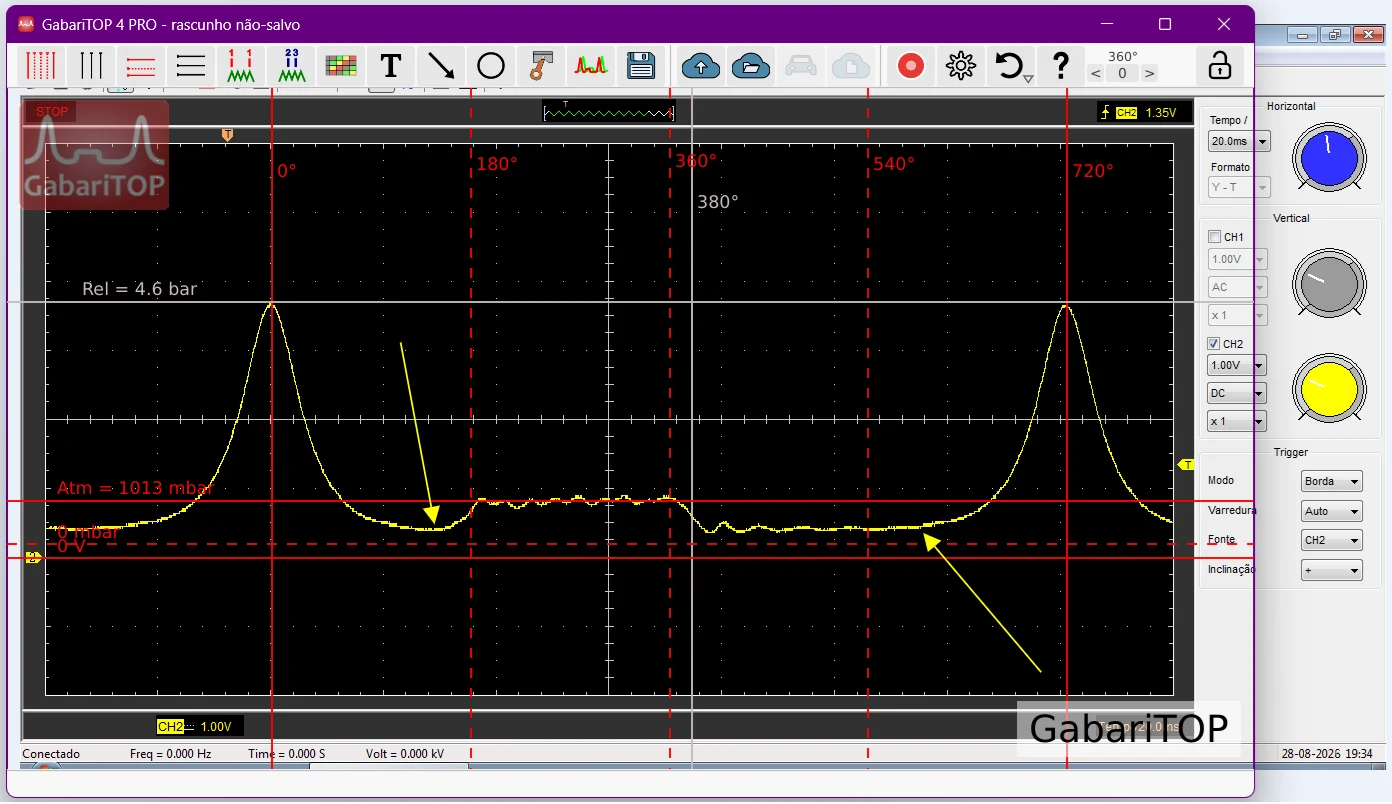
It does not connect to the oscilloscope and needs no cable or driver: it works on top of the image on the PC screen.
Comparison
An oscilloscope that comes with degree and pressure rulers and waveform overlay costs about 10x more than a basic model. With GabariTOP, you get these features on the oscilloscope you already own.
| BasicBasic oscilloscope | + GabariTOPYour oscilloscope + GabariTOP | PremiumPremium oscilloscope | |
|---|---|---|---|
| View the waveform | |||
| Degree rulers | - | ||
| Pressure rulers | - | ||
| Waveform overlay | - | ||
| Screen recording and history | - | varies | |
| Cost | low | subscription only | ~10x more |
What's new in GabariTOP 4
GabariTOP was rebuilt from scratch. These are the new features that make the biggest difference in day-to-day workshop work.
Every vehicle, diagnosis, screenshot and video is kept in your account. Changed computers or lost your hard drive? Everything is still there, on your phone too.
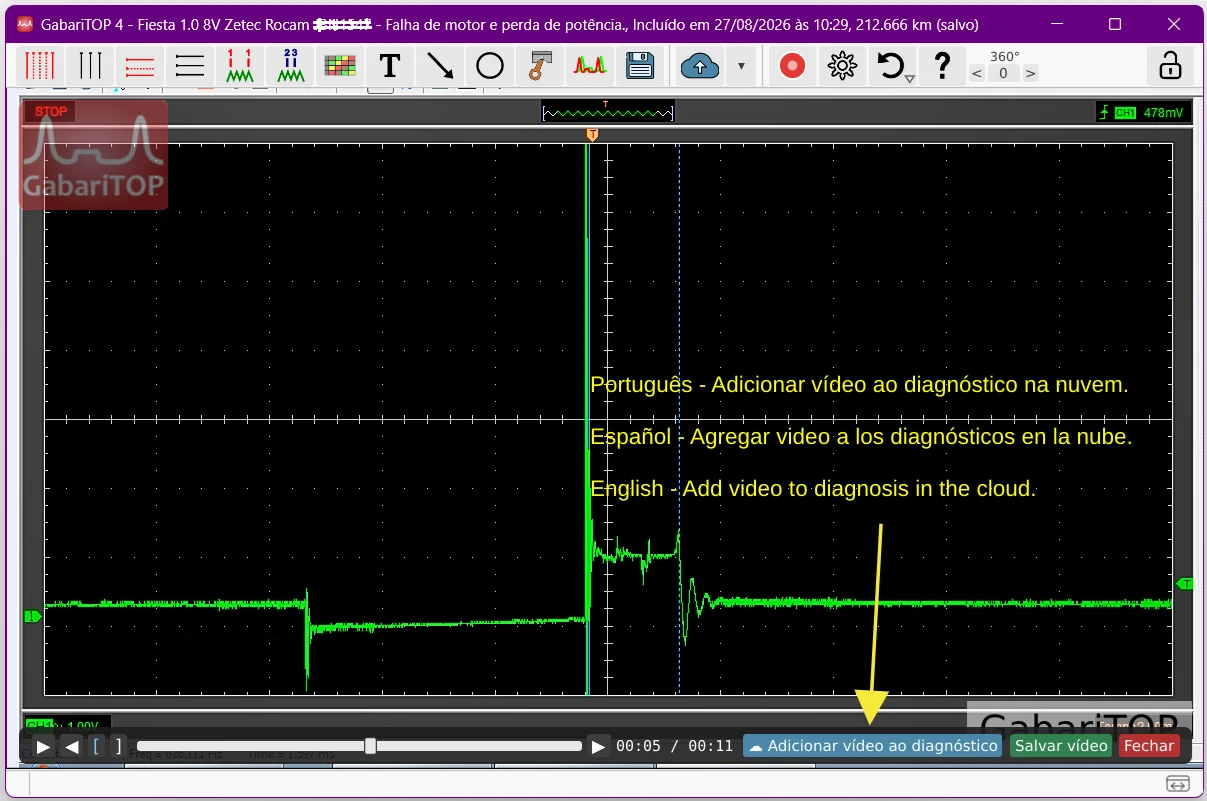
Record the oscilloscope while the engine runs. Then replay it frame by frame to find the exact moment of the fault, and place rulers and notes right on the video.
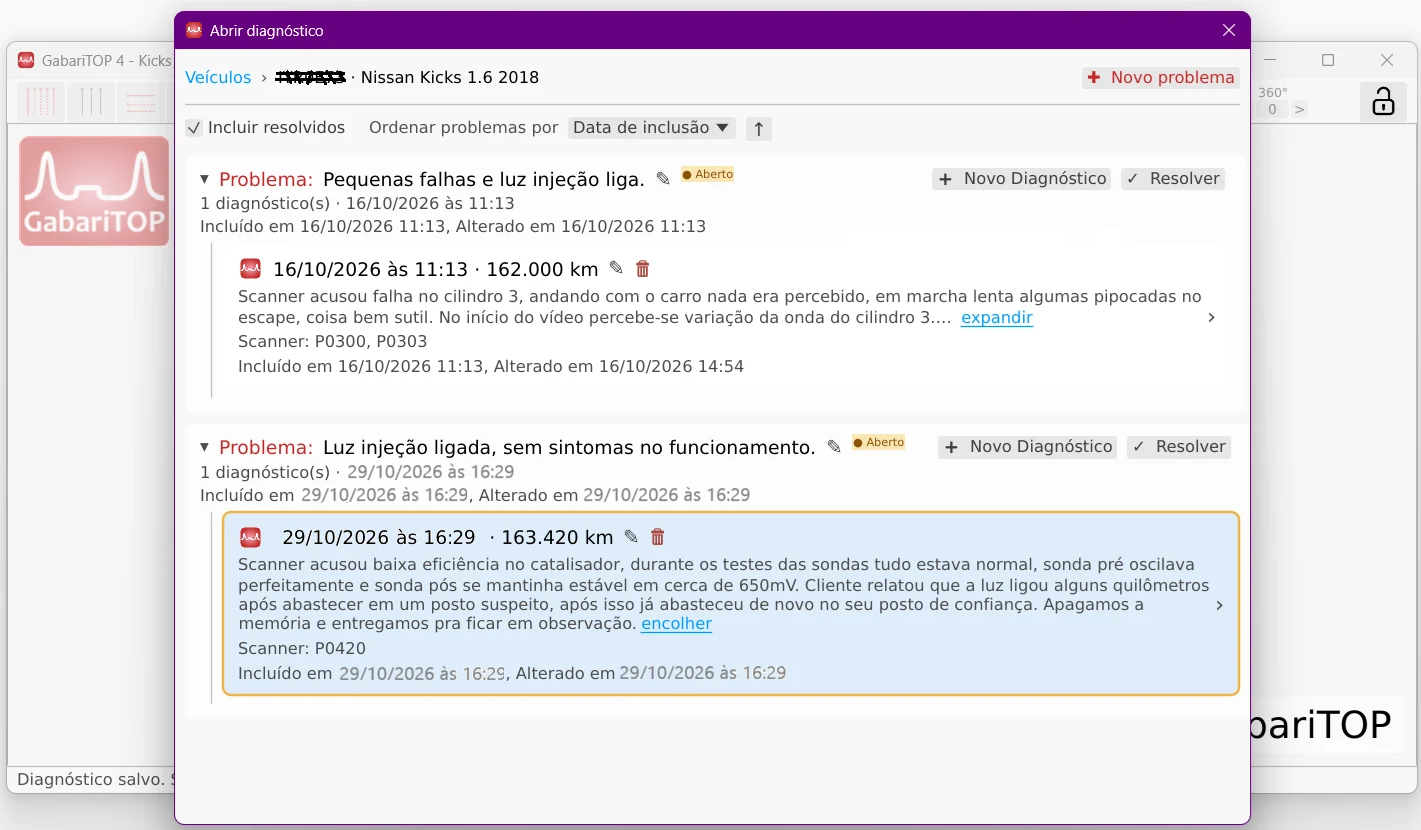
Type the plate and see the complaint, the diagnosis and the screenshots from the last visit. Start a new diagnosis for the same car in one click.
Real-world case
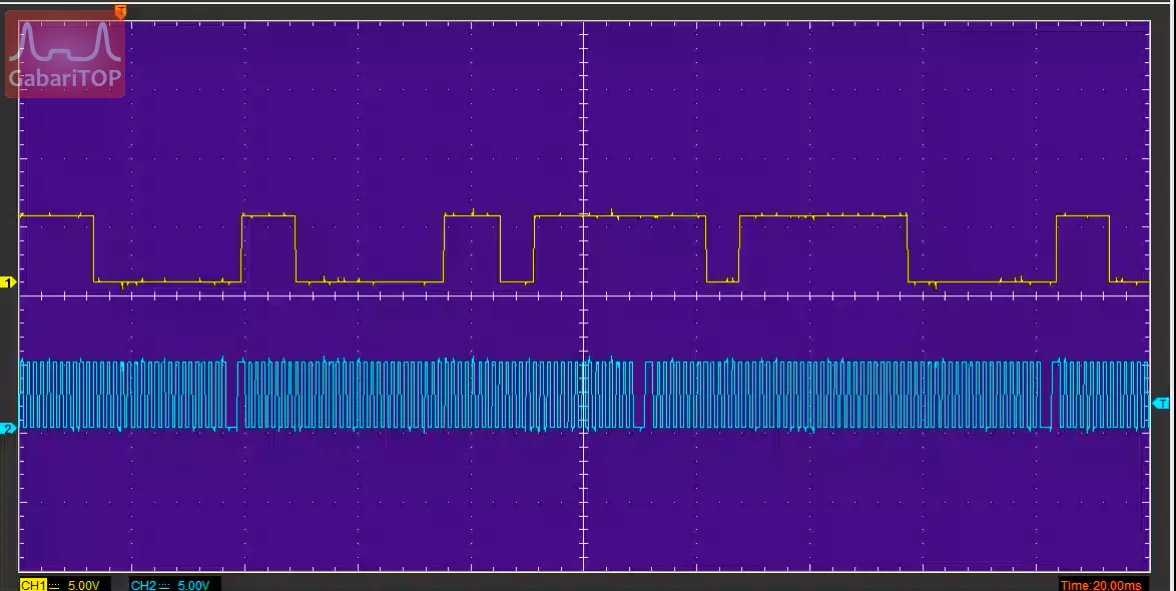
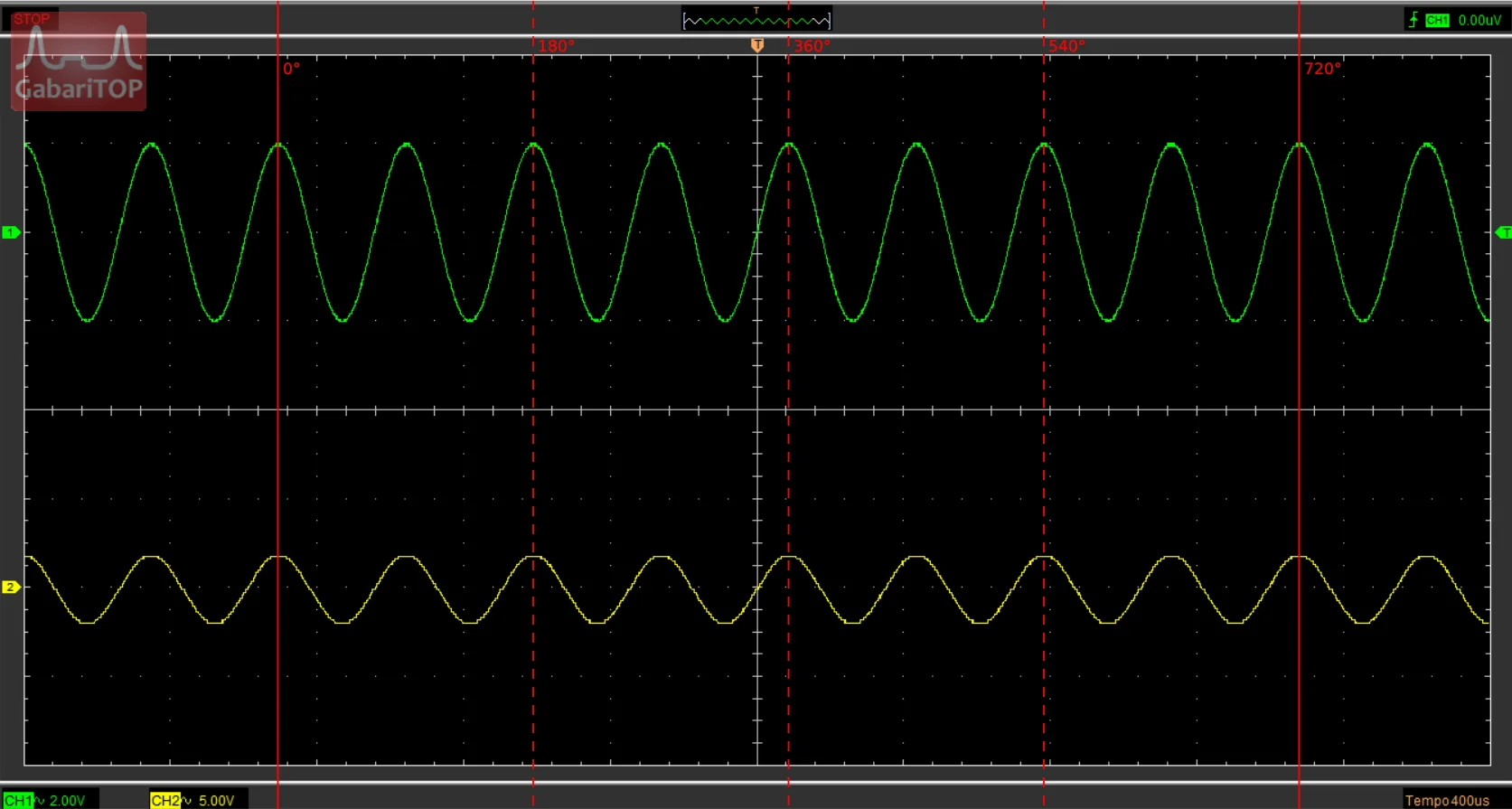
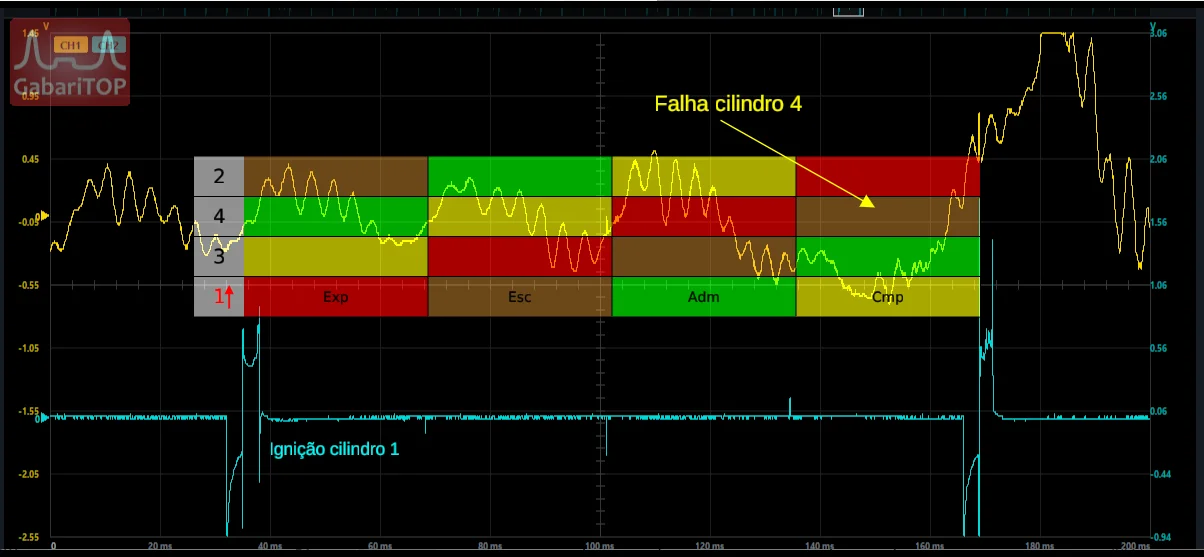
Screenshots from a real diagnosis, made with GabariTOP on top of the oscilloscope.
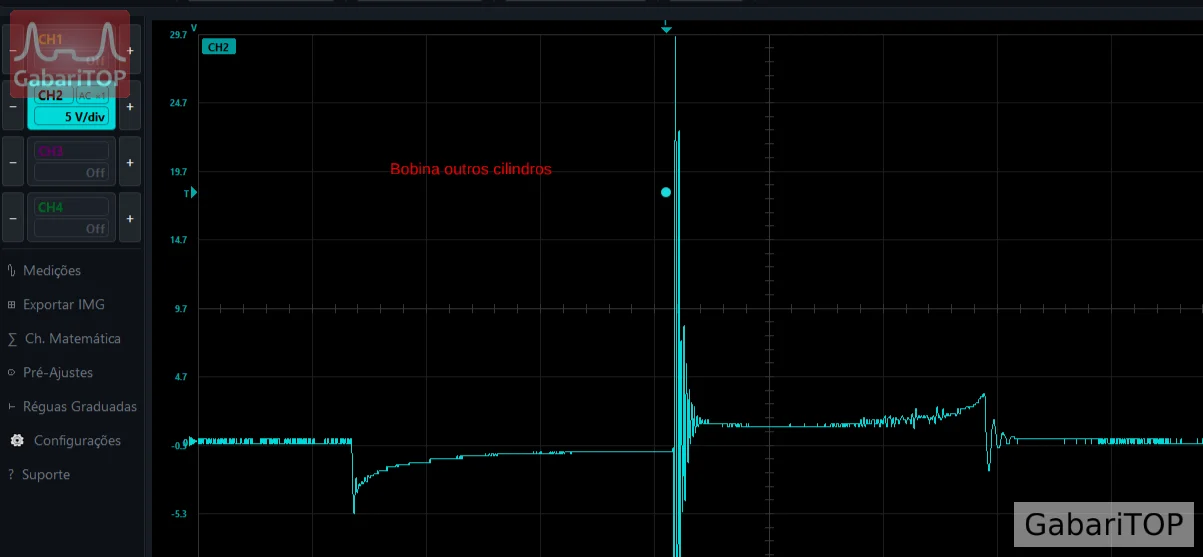
Coil of the other cylinders
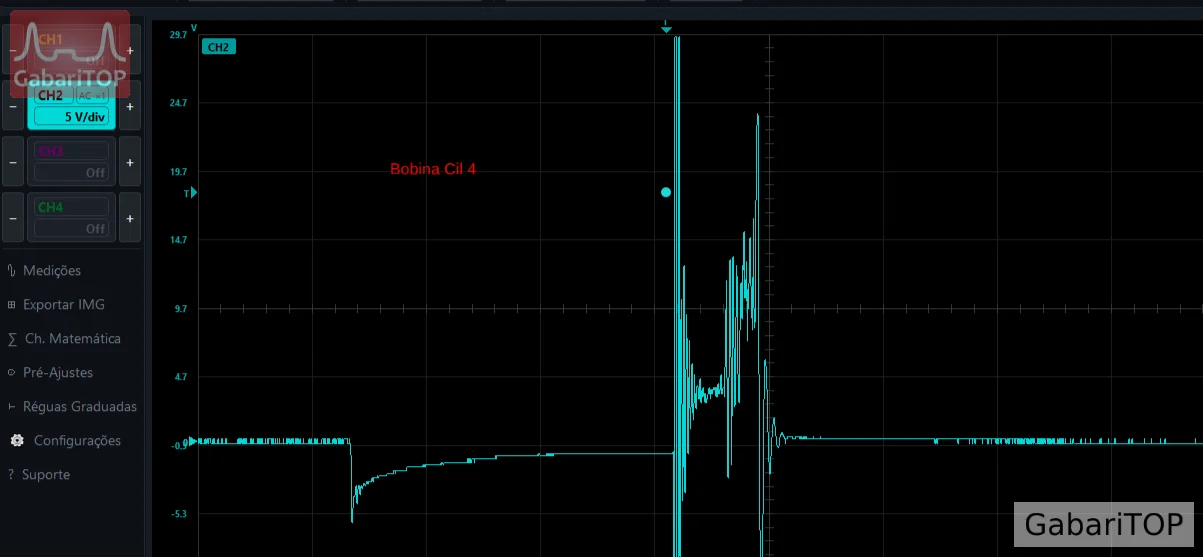
Coil of cylinder 4
Start for free, with no sign-up. Subscribe when you need the advanced tools.
| Free | PRO | |
|---|---|---|
| Angle rulers in degrees and pressure/vacuum rulers in kPa | ||
| Arrows, text, workshop logo and technician name | ||
| Save the diagnosis image | ||
| Rulers by number of cylinders (up to 8) and pressure in kPa, psi and bar | - | |
| Waveform overlay to find the misfiring cylinder | - | |
| Animations of 1 to 8 cylinder engines, frame by frame | - | |
| Screen recording up to 4K at 60 FPS, with player and markingsNew | - | |
| Vehicle and diagnosis history in the cloudNew | - | |
| Search by licence plate and side-by-side diagnosesNew | - | |
| Updates and support | - |
Plans
Updates and support included while your subscription is active. 1 device per subscription. Self-service device transfer through the portal.
≈ US$5.02/mo
Billed in BRL: R$ 27.90/mo
(Approximately €4.59 EUR)
Save 21%
≈ US$3.94/mo
R$ 21.90/mo
Billed in BRL: R$ 65.70 every 3 months
(Approximately €10.81 EUR)
Save 35%
≈ US$3.22/mo
R$ 17.90/mo
Billed in BRL: R$ 214.80 per year
(Approximately €35.34 EUR)
You are charged in Brazilian reais (BRL). Amounts in USD and other currencies (EUR, your local currency) are estimates, updated automatically from the latest exchange rate. Cancel anytime from the customer portal.
From picking a plan to unlocking the software in just a few minutes. Payment is processed securely by Stripe and also works for purchases outside Brazil.
Monthly, quarterly or annual. Click Start on the plan you prefer.
You are taken to the customer portal, sign in with your email and complete the payment processed by Stripe.
Install GabariTOP, sign in with the same account, and the PRO Version is unlocked automatically, in seconds, over the network.
Download the installer and check the system requirements.
Lightweight installer, only 60 MB. We shrank the installer from 300 MB to 60 MB, making downloads and updates much faster.
If any security alerts appear during installation, click here to see how to resolve them.
GabariTOP runs on the following operating systems (32 or 64 bit):
For good performance we recommend monitors with a resolution of 1366x768 pixels or higher. Note: an internet connection is not required to run the software (only to activate and to validate the subscription at least once every 14 days).
Why is Windows 10 or later required?
This version of GabariTOP was rebuilt from the ground up, with a new high-performance native engine. That new foundation made features like 4K screen recording at 60 FPS possible and brought major gains in speed and stability. 4K recording at 60 FPS is extremely high quality, with a sharp image and fluid motion, which is why it demands a high-performance computer. To deliver that reliably, the software relies on components available only on modern systems, so compatibility starts at Windows 10.
GabariTOP is software for advanced automotive diagnostics, designed to be used together with an oscilloscope and the appropriate transducers. With GabariTOP you can determine more precisely and quickly whether an engine is correctly timed between its crankshaft and camshaft(s).
The great advantage of this application is that it can be overlaid on the oscilloscope software on the PC screen: because it has a transparent background, you can add measurement rulers and save the screen for later analysis or simply to share the images. It also includes some image-editing tools, such as adding a short explanatory note, arrows to point out details, circles, the user's name, and you can also add the company logo to the image being saved.
Whenever updates are released, they are included in the plan and the software notifies you automatically on startup.
Languages: GabariTOP is currently available in English, Portuguese, Spanish and Italian.
The first step is to download the software and install it. When you open it for the first time, it will ask whether you want to continue on the Free Version or activate the PRO Version. If in doubt, stay on the Free Version (you can activate later, anytime).
The GabariTOP PRO is unlocked by subscription and covers 1 active device at a time. Each computer is activated by signing in to your account, with no code to type. Device transfer is self-service through the customer portal (up to 2 transfers every 30 days).
Activation is automatic. As soon as the payment is confirmed by Stripe, install GabariTOP (if you haven't yet), open the software and click Activate full version. Sign in with the same account used for the purchase and the activation arrives over the network in seconds, with no need to send a receipt to anyone.
Already had the Free Version open? Use the question-mark button [?] in the menu bar and choose "Activate full version". No reinstall needed.
The whole download and installation process should be done by the user. If you prefer a remote installation, we can offer the service for an additional R$ 120.00 by appointment (usually in the evening or on weekends). For this service you need AnyDesk installed and an internet connection.
Support and updates are included in the plan while your subscription is active. There is no "1-year" window like in the previous model; you are supported for as long as you keep paying.
If you have a problem with your computer (reformatting, HDD/SSD swap, new equipment), just open the customer portal and transfer the device in seconds. Each subscription allows up to 2 transfers every 30 days; beyond that, open a ticket through the support channels and we review it case by case (to prevent misuse of a single license across multiple machines in rotation).
When a subscription expires, the software keeps working for a progressive grace period with increasingly visible warnings. After that period, the PRO Version switches to read-only mode until renewal; your local data (captures, notes) stays intact.
Payment is processed securely by Stripe and renewal is automatic each cycle. It also works for purchases outside Brazil.
It may not seem like it, but long before the technology we have in our cars today, there were already electronic devices for diagnosing engines in particular. On engines with contact-breaker (points) ignition, there was a dwell-angle meter, which measured how many degrees the points stayed closed before opening to trigger the coil. Today the dwell angle is called coil charge time and is measured in ms (milliseconds).

To check ignition timing, there was a strobe lamp usually housed in a "gun", called a timing gun or timing light. It had an inductive clamp that wrapped around a spark-plug wire, picking up the ignition pulse and firing a flash at the exact moment of ignition. That flash lit up a mark on an engine pulley that was supposed to line up with another fixed mark on the engine. Because the flash was so fast and intense, the mark on the spinning pulley appeared to stand still; if the pulley mark was off the desired position, we could tell the ignition timing was wrong.

There were also analog multimeters, pressure gauges, vacuum gauges, gas analyzers, devices for balancing and tuning carburetors, and some I never even got to know.

Over the years modernity arrived, and with it came change. This equipment became obsolete and is practically useless for today's engines.
In this new digital era, engines have become just one part of a car's onboard systems. Almost everything about their operation is monitored, and any abnormality, whether mechanical or electronic, is already flagged on the dashboard through a warning light, an audible signal, or the vehicle's onboard computers.
The equipment is different now. We need devices able to access the systems' digital memories and also read parameters from sensors and actuators spread throughout the vehicle. Yes, the entire vehicle. There are sensors in seatbelts, in the wheels, inside the tires, airbags, electric steering, intelligent suspension, rain sensors, light sensors, tilt, ambient temperature, presence, proximity and many others, in addition to the sensors in the engine and transmission.
There are two main tools for automotive diagnostics today: the scanner and the automotive oscilloscope.
Scanner > used to access the fault memory, with the ability to read and clear the records in that memory; it performs certain adjustments and parameter resets, programs modules and some components, reads the systems' operating parameters, and many other functions important to repairing electronic systems. There are handheld scanners with a digital display showing values directly on the device, as well as those connected to a computer where the data is analyzed on screen, letting us view several parameters at once.

Automotive oscilloscope > replaces almost every electronic diagnostic device and, with the use of transducers, can also replace mechanical tools during analyses on motor vehicles. The oscilloscope provides a graph on screen representing an amplitude over a span of time, which is usually very short, allowing the technician to "see" the operation of a component that would be impossible to observe with the naked eye.

Most oscilloscopes still lack enough features to make diagnosis fast, and it was with that in mind that GabariTOP was developed. With it we can analyze the images in real time by overlaying the oscilloscope software, adding lines and markers without having to save the images to analyze them only later.
This software was conceived and developed by Mauro Cervo and Ricardo Cervo. If you have questions, criticism or suggestions about it, get in touch with us:
Click here and send your message